
Skills and plugins
Understand skills, plugins and MCP; create reusable workflows and install capability packages.
Plugins, skills and MCP are related but distinct. First understand their roles, then choose the appropriate extension mechanism.
#How they relate
| Mechanism | Meaning | Solves | Scope | Analogy | Examples |
|---|---|---|---|---|---|
| Plugin | Installable capability package | Distribution and installation | Can contain skills and tools | Toolbox | GitHub or Figma plugin |
| Skill | Reusable method | How to perform a class of task | A workflow | Instructions for the toolbox | README or review skill |
| MCP | External-tool protocol | Which tool/data to connect | Tool connection | Power connection | Database or docs MCP |
Plugins can package skills and MCP. Skills define the method; MCP provides external operations and data.
#Skills
#What is a skill?
A skill defines a reusable workflow for tasks such as README generation, reviews or building a page. You invoke the saved workflow instead of repeating all instructions.
Create a skill when:
- Similar tasks recur with many repeated requirements.
- Consistent output or a shared team method matters.
Usually unnecessary: a one-off small edit, temporary wording change or simple factual question.
#Skill versus ordinary prompt
| Dimension | Prompt | Skill |
|---|---|---|
| Input | Written each time | Saved and invoked |
| Consistency | Easy to omit requirements | Reusable workflow |
| Suitable work | One-off task | Recurring task |
| Reuse | Limited | High |
| Contents | Instructions | Instructions, templates, references and scripts |
#Minimal SKILL.md
A skill needs a SKILL.md with name and description in frontmatter, followed by its workflow:
---
name: readme-skill
description: Use when generating a README, project overview, installation guide or startup instructions.
---

Create a beginner-friendly README for the current project.

Workflow:
1. Read the project structure.
2. Inspect package.json and entry points.
3. Identify the project type.
4. Write the overview, installation, startup commands, directory guide and FAQ.
5. Do not invent uncertain details.

Output format: Markdown.
The description helps determine when the skill applies. Name concrete trigger scenarios instead of a vague description such as “help with writing.”
Optional supporting directories:
.agents/skills/
└── readme-skill/
    ├── SKILL.md          required
    ├── scripts/          optional automation
    ├── references/       optional sources/templates
└── assets/ optional examples#Create and use a skill
Existing skills: browse available skills supplied by installed plugins.
Create a new skill:
Start a thread
Create a new conversation.
Invoke the creator
Use $skill-creator when available.
Describe the workflow
Explain its purpose, triggers, rules and an example output.
Review the result
Inspect SKILL.md and supporting files before saving and using it.
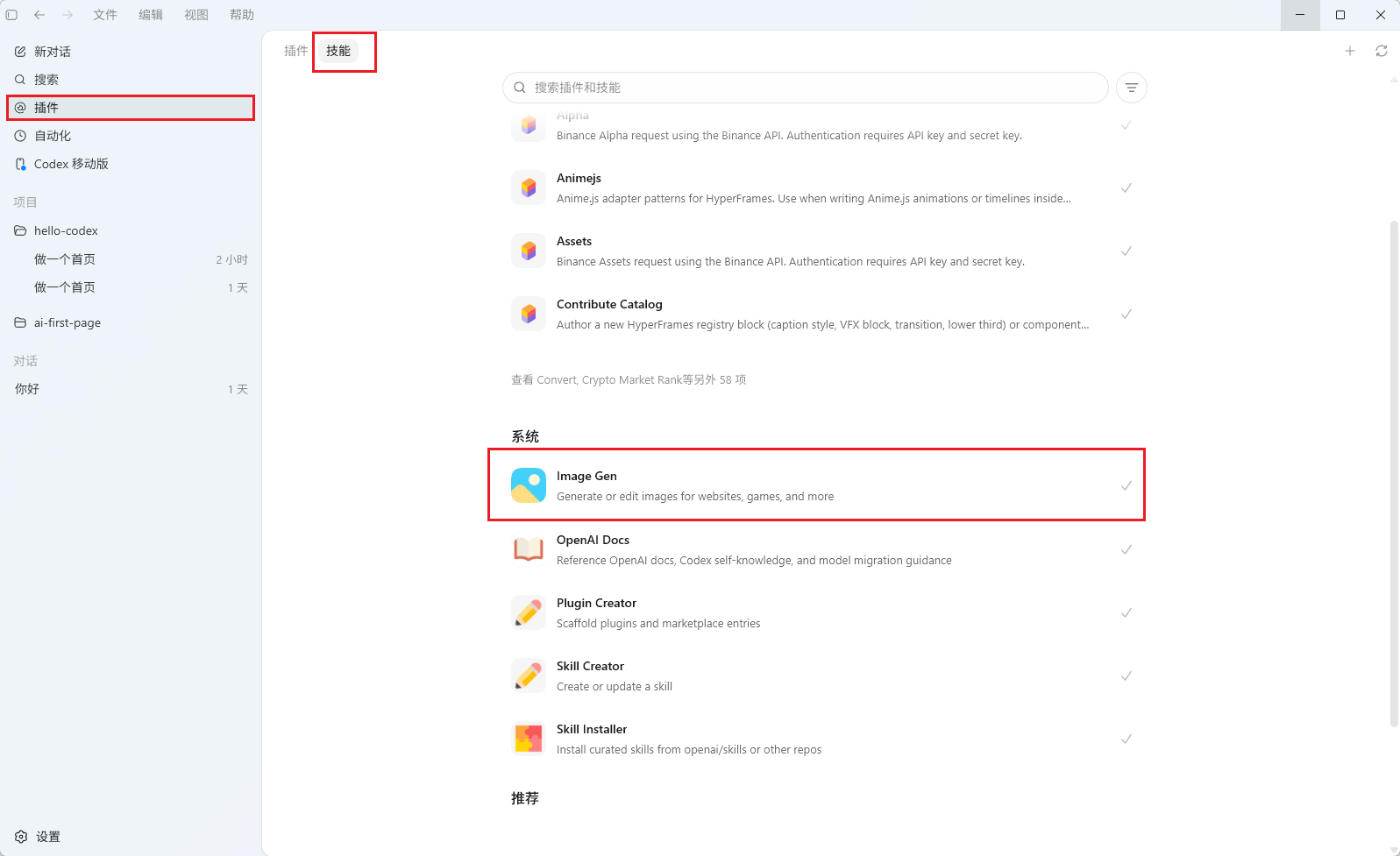
Start Codex in the project directory. Three approaches are available:
1. Browse or invoke an existing skill
/skills
$readme-skill
2. Use the creator
$skill-creatorDescribe triggers and rules, then review the generated definition.
3. Create files manually
Create the skill directory and SKILL.md using the structure above.
#Skill locations
| Scope | Location | Use |
|---|---|---|
| Project | project/.agents/skills/ | Repository-specific workflow |
| User | The supported user skill directory, including ~/.codex/skills in this setup | Personal reusable workflow |
| Team | Administrator/team distribution | Shared standards |
| Plugin | Packaged inside a plugin | Installable distribution |
#Plugins
#What is a plugin?
A plugin packages specialized instructions, tools or connections. It can combine several skills and MCP definitions into one installable unit.
#Install and manage
Open Plugins
Search or browse the available catalog.
Install
Inspect the plugin details and choose Add to Codex where supported.
Use it
Start a new thread so the intended capabilities are available.
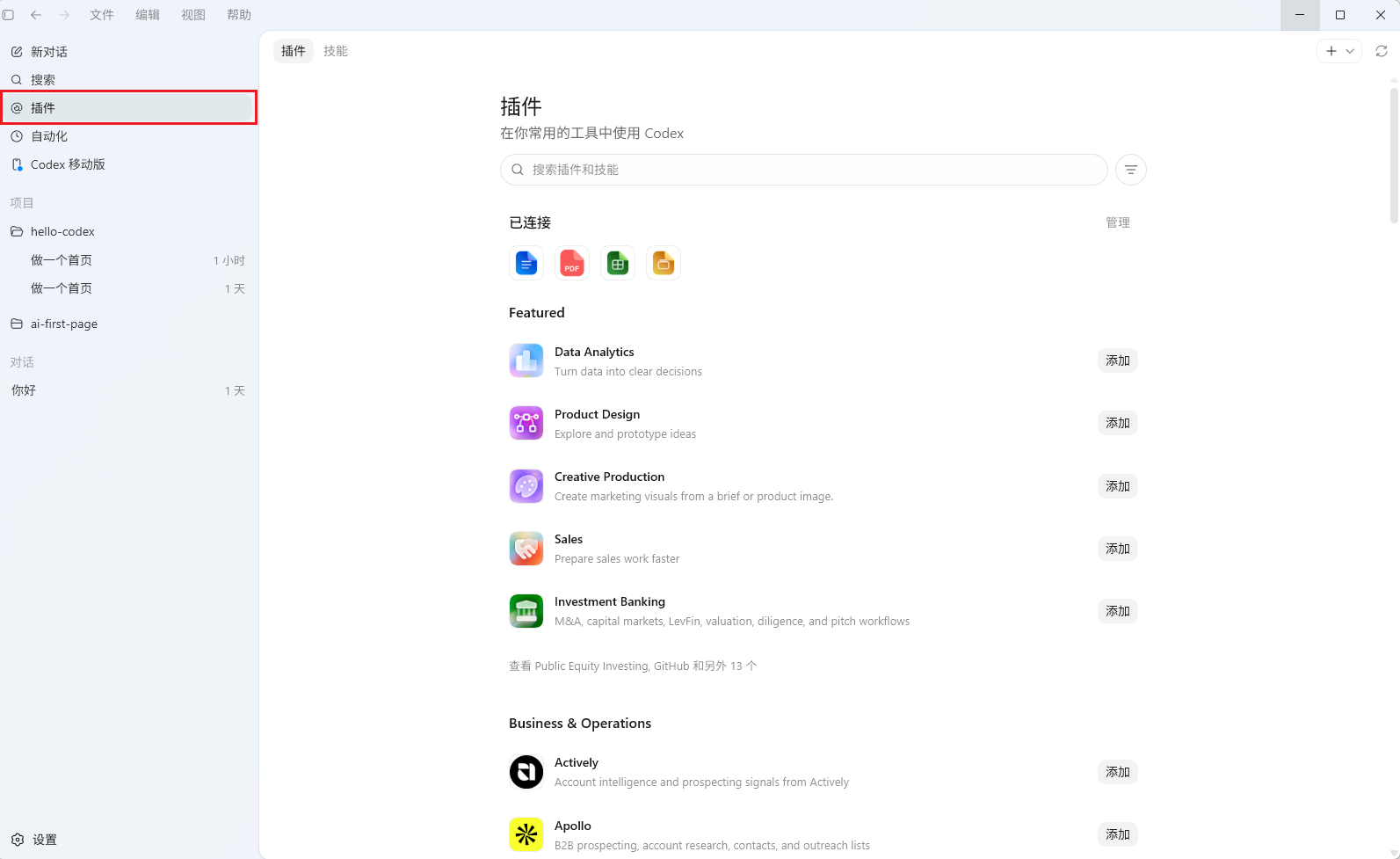
Open the plugin interface:
/pluginsSearch, inspect details, install/uninstall and enable/disable plugins using the current interface's controls, including Space where offered.
#Common capability categories
| Category | Examples |
|---|---|
| Browser/desktop | Chrome, Computer Use |
| Code collaboration | GitHub |
| Frontend/design | Build Web Apps, Figma |
| Documents | Documents, Presentations, Spreadsheets |
| Video | HyperFrames, Remotion |
The current catalog determines availability. Installed package access does not automatically grant every connected service's account permissions.
#Continue reading
Support
Need help?
For setup, billing, or model issues, email us. Check the status page for uptime.
WeChat / QQ support is available at the bottom right.

