
Automation and cloud runs
Schedule project checks, retain reusable workflows and distinguish local from cloud execution.
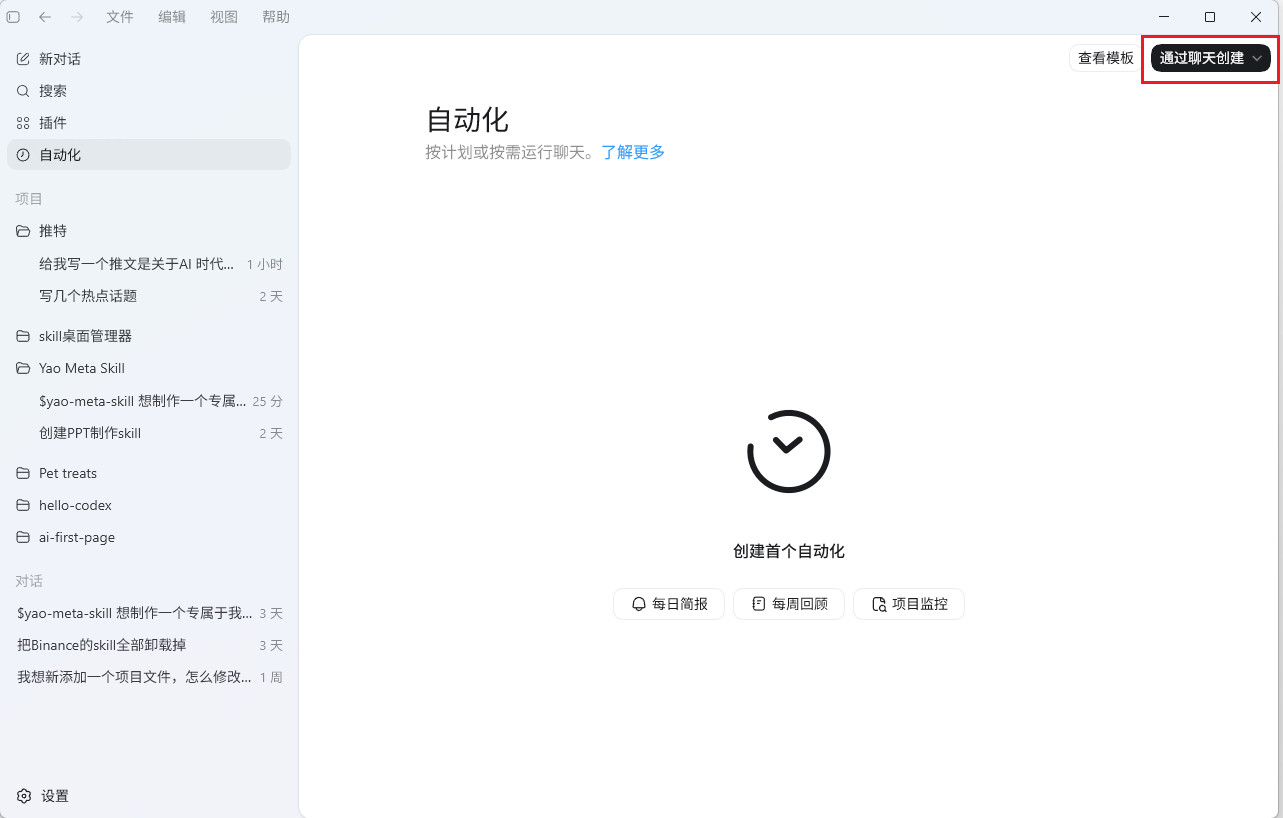
#Automation
With recurring triggers, Codex can inspect a project, find issues, handle bounded tasks and prepare results for review instead of waiting for each manual instruction.
#Turn session retrospectives into reusable workflows
A practical starting point is a weekly review of accessible execution records that extracts lessons and working preferences:
Search and review the last week's Codex conversations and execution logs.
Maintain a session retrospective and personal working-style document.

Requirements:
1. Prefer available history-search tools. For logs, search metadata and relevant
   excerpts rather than loading entire large session files.
2. Do not reproduce raw logs, personal information, keys or long transcripts.
3. Summarize what caused problems, the correct approach and reusable scenarios.
4. Record UI, product, interaction, content and workflow preferences.
5. Produce reusable rules, merge duplicates and cite dates and task types.
6. Assess which rules belong in project or user AGENTS.md files.
Recurring runs can accumulate a useful record if the workflow can access and update it. Persisted instructions and available memory features determine what future sessions can reuse; running a prompt alone does not guarantee cross-session memory.
#Local versus cloud execution
Three common execution locations are:
| Mode | Location | Source | Suitable use |
|---|---|---|---|
| Local | Your computer | Local project directory | Everyday work and local private files |
| Worktree | Your computer | Isolated Git checkout | Experiments without modifying the main working directory |
| Cloud | Managed cloud environment | Connected repository | Background and parallel tasks |
#How cloud execution works
Cloud tasks work in a hosted environment: obtain repository code, inspect and modify files, run checks and prepare a diff or pull request. They do not require the model task to occupy your local machine.
Suitable: bug fixes, features, documentation, code review and issue work.
Unsuitable without additional setup: private local files, unpushed projects and high-risk production operations.
| Dimension | Local | Cloud |
|---|---|---|
| Code location | Your computer | Connected repository |
| Execution | Your computer | Cloud environment |
| Local resource use | Yes | Minimal for the hosted task |
| GitHub requirement | Not always | Usually a connected repository |
| Background / parallel work | Depends on setup | Designed for isolated tasks |
| Permissions | Local file and execution access | Repository, environment and network policy |
| Starting point | Start here | Use after understanding repository connections |
#Run a cloud task
Push the repository
Ensure the project is pushed and the official cloud workspace can access it.
Open the official cloud interface
Use the current official Codex web/cloud entry point and its required account authentication. This is a separate official service, not a Passion8 login path.
Select the repository and task
Choose the repository and describe the desired outcome.
Wait for the result
Review the resulting diff or pull request and the checks performed.
Synchronize local code
Before further local development, update your checkout to avoid working against stale code:
git pull
# Or use Codex apply for the relevant remote task's diff.
Official cloud execution does not automatically inherit a local Passion8 base_url. It has its own account, workspace and environment requirements.
For the documented Passion8 setup, use local CLI or supported local desktop workflows. See CLI configuration and Desktop app.
#Continue reading
Support
Need help?
For setup, billing, or model issues, email us. Check the status page for uptime.
WeChat / QQ support is available at the bottom right.

